Advantages and Disadvantages of LCD in 2026
Published: 15 Sep 2026
LCD screens are widely used in laptops, monitors, televisions, calculators, and many other electronic devices. They are popular because they are thin, lightweight, energy-efficient, and affordable. However, they also have some limits related to viewing angles, contrast, and screen damage. This guide explains the Advantages and Disadvantages of LCD in simple words.
1. What Is an LCD?
LCD stands for Liquid Crystal Display, a flat-screen technology used in laptops, monitors, televisions, calculators, and many other electronic devices. It uses a layer of liquid crystals placed between thin glass panels to control the light passing through the screen. These liquid crystals do not produce light on their own, so an LCD needs a backlight to display images. Red, green, and blue color filters help create different colors on the screen. Millions of tiny pixels work together to show text, pictures, videos, and other visual content. LCD screens are popular because they are thin, lightweight, energy-efficient, and available in many sizes.
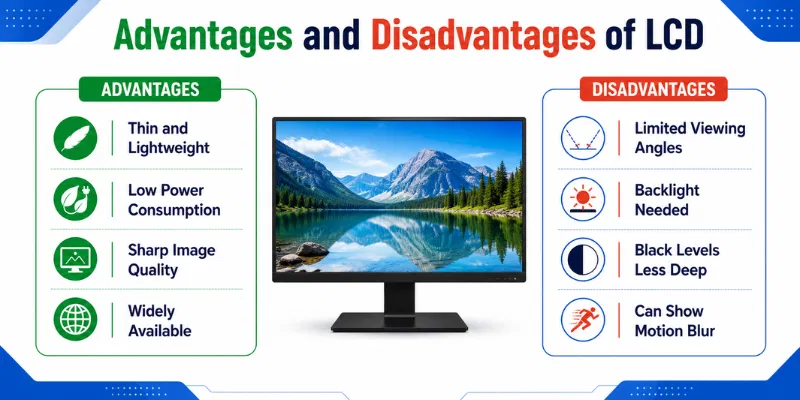
2. Top 8 Advantages of LCD
LCD screens are widely used because they offer a balanced combination of clear display quality, low power use, and affordable pricing. The following are the eight main advantages of LCD technology.
1. Thin and Lightweight Design
LCD screens have a slim and lightweight structure compared with older CRT displays. They do not require a large picture tube, so manufacturers can create thinner laptops, monitors, and televisions. Their compact design also makes them easier to carry, install, and mount on a wall.
2. Low Power Consumption
An LCD usually consumes less electricity than older display technologies. This lower power use helps laptops, tablets, calculators, and other battery-powered devices work for longer periods. It can also reduce electricity costs when a monitor or television is used for several hours daily.
3. Clear and Sharp Image Quality
LCD screens can display clear text, detailed images, and bright colors at their recommended resolution. Their sharp picture quality makes them suitable for browsing, studying, office work, watching videos, and regular gaming. Users usually get the best results when they set the display to its native resolution.
4. Produces Less Heat
LCD technology generally produces less heat than bulky CRT monitors and televisions. Lower heat makes the area around the screen more comfortable during long working or entertainment sessions. It can also reduce unnecessary heat around other electronic components.
5. Uses Less Desk Space
The thin body of an LCD monitor requires much less desk space than an older display. This leaves more room for a keyboard, mouse, documents, speakers, and other accessories. Its compact size makes it a practical option for small offices, study tables, and limited work areas.
6. Available in Many Sizes
LCD screens are available in a wide range of sizes, from small calculator displays to large televisions. They are commonly used in laptops, desktop monitors, digital watches, cameras, cars, and medical equipment. This wide selection allows users to choose a display size that matches their device, room, and purpose.
7. Affordable and Easily Available
LCD technology is widely produced, which makes many models affordable for regular users. Buyers can find budget, mid-range, and premium options for work, entertainment, designing, and gaming. Replacement LCD panels and repair services are also commonly available in many markets.
8. Long-Lasting Performance
A good-quality LCD screen can work for many years when used and maintained properly. It does not contain the same bulky moving or high-voltage parts found in older displays. Regular cleaning, safe handling, correct brightness settings, and proper ventilation can help extend its useful life.
3. Top 8 Disadvantages of LCD
LCD screens are affordable, lightweight, and widely used, but they also have some limitations. These disadvantages can affect image quality, viewing comfort, gaming performance, and repair costs.
1. Limited Viewing Angles
Some LCD screens lose brightness and color quality when viewed from the side, above, or below. The image may look darker, faded, or slightly different from certain positions. This problem is more common in low-cost TN panels, while IPS panels usually provide wider viewing angles.
2. Lower Contrast and Black Levels
LCD screens use a backlight that stays active behind the display. Because of this, dark areas may look grey instead of completely black. Lower black levels can reduce image depth, especially when watching dark movies or playing games in a dim room.
3. Backlight Bleeding
Backlight bleeding happens when light escapes around the edges or corners of the screen. It is usually more visible when the display shows a black image in a dark room. A small amount may be normal, but strong bleeding can disturb movies, games, and photo-editing work.
4. Dead or Stuck Pixels
An LCD screen contains millions of tiny pixels that create images and colors. A dead pixel stays black, while a stuck pixel may remain red, green, blue, or white. A few faulty pixels may not affect basic use, but they can become distracting during designing, gaming, or video viewing.
5. Motion Blur and Ghosting
Some LCD screens may show blur or a faint trail behind fast-moving objects. This happens when pixels cannot change colors quickly enough. Slow response time can affect action movies, sports videos, and fast games, although modern gaming displays reduce this issue.
6. Fixed Native Resolution
An LCD provides its sharpest picture at one recommended resolution, known as its native resolution. Using a lower or different resolution may make text and images look soft or stretched. This can be a problem when older programs or games do not support the screen’s correct resolution.
7. Fragile Screen Panel
LCD panels contain thin glass layers and delicate liquid crystal material. Strong pressure, accidental drops, or sharp objects can crack the screen or damage the internal display. Even a small crack may spread, create black spots, or make part of the screen unusable.
8. Expensive and Difficult Repair
Repairing a damaged LCD panel can be difficult because its internal layers are tightly joined together. Dead pixels, cracks, and serious backlight problems often require complete panel replacement. For older or low-cost devices, the repair cost may be close to the price of buying a new screen.
4. Common Problems of LCD
LCD screens can develop different issues because of physical damage, weak connections, incorrect settings, or worn internal parts. The following are five common LCD problems.
1. Dead or Stuck Pixels
Dead pixels remain black, while stuck pixels may stay red, green, blue, or white. These small spots can become distracting during videos, gaming, or design work. In many cases, dead pixels cannot be repaired easily.
2. Screen Flickering
Screen flickering may happen because of a loose cable, outdated driver, weak backlight, or incorrect refresh rate. The display may flash, blink, or change brightness repeatedly. Checking the connection and display settings can help identify the cause.
3. Backlight Bleeding
Backlight bleeding appears as bright patches around the edges or corners of the screen. It is usually more visible when viewing dark images in a dim room. Strong bleeding can reduce picture quality and viewing comfort.
4. Vertical or Horizontal Lines
Colored or black lines may appear across the LCD screen because of a damaged panel, loose display cable, or graphics problem. These lines can remain fixed or appear only at certain times. Testing the screen with another device can help find the source of the issue.
5. Dim or Dark Display
An LCD may look unusually dark because of low brightness settings, a weak backlight, or a power problem. Sometimes the image remains visible only under strong light. Adjusting the settings or checking the backlight system may solve the problem.
5. Tips for Better LCD Performance
Simple care and correct settings can improve LCD picture quality and extend the life of the screen. Follow these useful tips during daily use.
1. Use the Native Resolution
Set the LCD to its recommended native resolution for clear text and sharp images. A lower or incorrect resolution may make the display look blurry or stretched. You can check the recommended setting in the display options.
2. Adjust Brightness Properly
Keep the brightness at a comfortable level based on room lighting. Very high brightness can increase power use and cause eye discomfort. Very low brightness may make text difficult to read.
3. Clean the Screen Gently
Use a soft microfiber cloth to remove dust and fingerprints. Avoid paper towels, rough fabric, and strong cleaning chemicals. Never spray liquid directly onto the screen.
4. Avoid Pressure on the Panel
Do not press the LCD surface with your fingers or sharp objects. Strong pressure can damage pixels and create dark marks. Carry laptops in a protective sleeve to reduce the risk of screen damage.
5. Keep Display Drivers Updated
Updated display drivers can improve screen performance and fix flickering, color, or resolution problems. Download drivers only from trusted sources. Restart the device after completing an update.
The main advantage of an LCD is its thin and lightweight design. It also uses less power than many older display technologies. This makes it suitable for laptops, monitors, televisions, and portable devices.
One major disadvantage is that black colors may not look completely dark because the screen uses a backlight. Some LCDs also have limited viewing angles. This can reduce image quality when viewed from the side.
Yes, LCD screens are a good choice for laptops because they are slim, light, and energy-efficient. They help reduce the overall weight of the device. Their low power use can also support better battery life.
LED is not a completely different display type because most LED screens are LCDs with LED backlighting. LED-backlit LCDs are usually thinner, brighter, and more energy-efficient. The better option depends on panel quality, price, and purpose.
An LCD screen can last for many years with proper care. Its lifespan depends on daily use, brightness level, heat, and backlight quality. Safe handling and correct settings can help it work longer.
Some stuck pixels may start working again, but dead pixels are usually permanent. Special pixel-testing tools can help users identify the problem. If many pixels are damaged, screen replacement may be required.
Yes, an LCD can be suitable for gaming when it has a fast response time and high refresh rate. A good gaming LCD can reduce motion blur and provide smoother movement. Users should also check the panel type, resolution, and input delay.
Conclusion
So guys, in this article, we’ve covered Advantages and Disadvantages of LCD in detail. LCD screens are thin, lightweight, affordable, and energy-efficient, but they may also have problems such as limited viewing angles, backlight bleeding, and dead pixels. I personally recommend choosing an LCD with a good panel type, suitable resolution, and reliable warranty for better long-term use. Compare the features carefully and select the display that best matches your budget and needs.

- Be Respectful
- Stay Relevant
- Stay Positive
- True Feedback
- Encourage Discussion
- Avoid Spamming
- No Fake News
- Don't Copy-Paste
- No Personal Attacks
- Be Respectful
- Stay Relevant
- Stay Positive
- True Feedback
- Encourage Discussion
- Avoid Spamming
- No Fake News
- Don't Copy-Paste
- No Personal Attacks
