Best Screen for Online Classes in 2026
Published: 13 Oct 2026
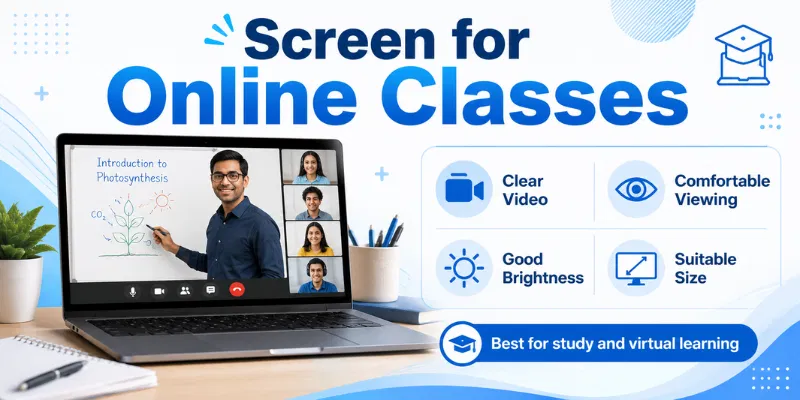
A clear and comfortable screen can improve focus, reading, video quality, and overall learning during virtual lessons. Screen size, resolution, brightness, panel type, and anti-glare features all affect the student’s experience. Choosing the right Screen for Online Classes can reduce eye strain and make presentations, notes, and teachers easier to view. This guide explains the important features, sizes, settings, and screen types in simple words.
1. Why Is a Good Screen Important for Online Classes?
A good Screen for Online Classes helps students view teachers, presentations, videos, and study materials clearly. It improves focus, supports comfortable reading, and makes multitasking easier during long lessons. A clear and properly positioned display can also reduce eye discomfort and improve the overall learning experience.
- Makes text and presentations easier to read
- Improves video clarity during virtual lessons
- Reduces eye strain during long classes
- Supports notes and class multitasking
- Helps students maintain better concentration
- Provides comfortable viewing from proper distance
- Makes diagrams and demonstrations easier to follow
2. What Type of Screen Is Best for Online Classes?
The best Screen for Online Classes depends on the student’s learning needs, budget, portability, and available study space. Some displays are better for long classes and multitasking, while others are suitable for short lessons and travel. Comparing their uses and limitations can help students choose the right option.
1. Laptop Screen
A laptop screen is a practical choice because the display, keyboard, webcam, microphone, and battery are built into one device. A 13-inch to 16-inch Full HD laptop provides enough space for video classes, assignments, and basic multitasking. It is also easy to carry between home, school, and college.
Best Uses
- Attending daily live online classes
- Completing assignments and typing notes
- Studying from different locations easily
Limitations
- Smaller space for multiple windows
- Poor posture without proper laptop stand
- Limited size compared with desktop monitors
2. Desktop Monitor
A desktop monitor provides a larger viewing area and is suitable for students who study from a fixed location. A 22-inch to 24-inch Full HD IPS monitor offers clear text, comfortable viewing, and enough space for presentations and notes. It can be connected to a desktop computer or laptop.
Best Uses
- Attending long classes from home
- Viewing presentations and notes together
- Creating a comfortable permanent study setup
Limitations
- Cannot be carried between locations
- Requires additional cables and desk space
- Needs a separate computer or laptop
3. Tablet Screen
A tablet screen is lightweight, portable, and easy to control through touch input. It is useful for reading digital books, watching recorded lessons, and taking handwritten notes with a compatible stylus. However, its smaller size may limit advanced multitasking.
Best Uses
- Reading books and study documents
- Taking notes with digital stylus
- Watching recorded lessons while travelling
Limitations
- Limited space for split-screen tasks
- Typing is difficult without keyboard
- Some desktop applications remain unsupported
4. Smartphone Screen
A smartphone provides quick access to online classes, educational apps, and recorded lectures. It is useful when a laptop or tablet is unavailable. However, its small display can make presentations, text, and long lessons uncomfortable to view.
Best Uses
- Joining classes during an emergency
- Watching short educational video lessons
- Checking messages and class notifications
Limitations
- Small text can strain eyes
- Difficult to view detailed presentations
- Poor choice for long assignments
5. External Monitor
An external monitor increases the available screen space when connected to a laptop. Students can keep the class video on one display and open notes, assignments, or learning materials on the other. This Display for Online Classes is especially useful for multitasking and long study sessions.
Best Uses
- Using class and notes simultaneously
- Improving laptop-based home study setups
- Managing multiple learning applications easily
Limitations
- Requires suitable ports and cables
- Takes additional space on desk
- Increases the total setup cost
For most students, a 15-inch Full HD laptop offers the best balance of portability and functionality. Students who attend long lessons from home may benefit more from a 22-inch to 24-inch external monitor.
3. Best Screen Size for Online Classes
The best Screen for Online Classes should provide enough space to view the teacher, presentations, notes, and learning apps clearly. A very small screen may cause eye strain, while an oversized display may require more desk space. The right size depends on portability, study setup, and multitasking needs. For most students, a 15.6-inch laptop or a 22–24-inch monitor offers a comfortable balance.
1. 10 to 12 Inches
A 10-inch to 12-inch screen is commonly found in tablets and compact devices. It is lightweight and easy to carry, making it useful for short lessons, reading, and watching educational videos. However, the limited screen space can make typing, presentations, and multitasking difficult.
2. 13 to 14 Inches
A 13-inch to 14-inch display offers a good balance between portability and visibility. It is suitable for students who frequently carry their laptops between home, school, or college. This size works well for video classes and basic assignments, but split-screen use may feel slightly limited.
3. 15 to 16 Inches
A 15-inch to 16-inch laptop screen is a practical choice for most students. It provides enough space for online meetings, study materials, assignments, and side-by-side windows. This size is also easier to view during long classes without making the laptop too difficult to carry.
4. 22 to 24 Inches
A 22-inch to 24-inch monitor is ideal for a permanent home study setup. It allows students to view the teacher, presentations, and notes comfortably without sitting too close. This Display for Online Classes also supports better multitasking and can reduce the need to switch between windows.
5. 27 Inches and Above
A 27-inch or larger monitor provides plenty of space for multiple windows, detailed diagrams, and advanced learning tasks. It may be useful for teachers, designers, programmers, and university students. However, it costs more, requires a larger desk, and may be unnecessary for basic online lessons.
For most learners, a 15.6-inch Full HD laptop screen is suitable when portability matters. A 22-inch to 24-inch monitor is a better option for long online classes and a fixed study area.
4. Best Screen Resolution for Online Classes
The best resolution for a Screen for Online Classes should provide clear text, sharp presentations, and comfortable video quality. A low-resolution display may make small words appear blurry, while a higher resolution offers more workspace for notes and class applications. However, the ideal choice also depends on screen size, budget, and device performance. For most students, Full HD resolution provides the best balance.
1. HD Resolution
HD resolution is commonly available as 1366 × 768 pixels on affordable laptops. It is suitable for basic video classes, web browsing, and simple assignments. However, text may appear less sharp, especially on larger screens. Split-screen multitasking can also feel limited because fewer items fit on the display.
2. Full HD Resolution
Full HD provides 1920 × 1080 pixels and is the best option for most students. It displays clear text, detailed presentations, and good-quality educational videos. A Full HD Display for Online Classes also provides enough space for keeping the class window and notes open together. It is widely available without being too expensive.
3. QHD Resolution
QHD resolution usually provides 2560 × 1440 pixels. It offers sharper visuals and more workspace than Full HD, making it useful for detailed diagrams, design work, coding, and advanced study tasks. However, QHD screens usually cost more and may consume additional battery power on laptops.
4. 4K Resolution
A 4K display provides 3840 × 2160 pixels and produces extremely sharp images. It can be useful for video editing, graphic design, medical studies, and other subjects that require detailed visuals. However, 4K is usually unnecessary for regular online classes and may increase the cost and power usage of the device.
5. Recommended Resolution for Students
For most learners, Full HD is the recommended resolution for a Screen for Online Classes. It provides clear visuals, comfortable reading, and enough room for basic multitasking. Students using smaller tablets may manage with HD, while designers and advanced users may benefit from QHD. Choose 4K only when your course requires highly detailed visual work.
5. Features of a Screen for Online Classes
A good Screen for Online Classes should provide clear visuals, comfortable viewing, and enough space for learning activities. The right features help students read text, watch presentations, and attend long lessons without discomfort. A suitable Display for Online Classes should also support smooth multitasking and proper screen positioning.
- Full HD resolution: Provides clear text, sharp presentations, and better video quality.
- Anti-glare coating: Reduces reflections from windows, lamps, and bright room lighting.
- IPS panel: Offers accurate colors and clear viewing from different angles.
- Adjustable brightness: Helps students match the screen with surrounding room light.
- Flicker-free technology: Reduces visible screen flickering during long online classes.
- Blue light reduction: Provides a more comfortable viewing experience during extended study sessions.
- Adjustable stand: Allows students to change screen height, tilt, and viewing angle easily.
6. Which Screen Should You Choose?
The right Screen for Online Classes depends on your study routine, available space, budget, and portability needs. A laptop screen is suitable for most students, while an external monitor offers more comfort for long classes. You should also consider resolution, panel type, anti-glare support, and screen size before making a decision.
- Choose laptop screens for daily portability
- Select monitors for longer study sessions
- Prefer Full HD for clear visuals
- Choose IPS panels for better viewing
- Pick anti-glare screens for bright rooms
- Consider tablets for reading and notes
- Avoid smartphones for long online classes
7. Best Setup for Online Classes
A comfortable study setup improves focus, posture, and screen visibility during long lessons. Your Screen for Online Classes should be placed at the correct height and distance, with suitable lighting around it. A well-organized setup also helps you manage notes, video calls, and study materials without unnecessary distractions.
- Place the screen at eye level: Keep the top of the display close to your natural eye position to avoid neck strain.
- Maintain a comfortable viewing distance: Position the screen about an arm’s length away, depending on its size.
- Use proper room lighting: Keep soft light around the study area and avoid bright reflections on the display.
- Adjust brightness for your surroundings: Match screen brightness with room lighting to improve viewing comfort.
- Use a stable desk and chair: Choose supportive furniture that helps you maintain a comfortable sitting position.
- Keep learning tools within reach: Arrange notebooks, headphones, chargers, and pens near your study area.
- Check equipment before class: Test the webcam, microphone, internet connection, and Display for Online Classes before the lesson begins.
8. Common Mistakes When Choosing a Screen for Online Classes
Choosing the wrong Screen for Online Classes can affect comfort, focus, and learning quality. Many students focus only on price and ignore important features such as size, resolution, and glare control. Avoid these common mistakes before selecting a display.
- Choosing a screen that is too small
- Ignoring resolution and text clarity
- Buying without checking anti-glare support
- Selecting poor brightness and viewing angles
- Paying for unnecessary premium features
A 13-inch to 16-inch laptop screen is suitable for most students. For a permanent home setup, a 22-inch to 24-inch monitor provides more viewing space. The final choice depends on portability and desk space.
Full HD is recommended because it provides clear text, presentations, and video quality. It also offers enough screen space for basic multitasking. HD resolution may still work for short and simple lessons.
A touchscreen is useful for drawing, handwriting, and easy navigation. Students can use a Touch Screen tester to check accuracy and unresponsive areas. However, touchscreen support is not essential for basic video classes and assignments.
A laptop is better for students who need portability. A monitor provides a larger and more comfortable Display for Online Classes at home. Many students use a laptop with an external monitor for better multitasking.
Check the brightness, resolution, webcam, microphone, and internet connection before joining. You should also test your touch screen when using a touchscreen laptop or tablet. This helps you identify touch problems before the lesson begins.
Conclusion
So guys, in this article, we’ve covered Screen for Online Classes in detail. The right screen size, Full HD resolution, anti-glare coating, IPS panel, and proper setup can make online learning clearer and more comfortable. Personally, I recommend a 15.6-inch laptop for students who need portability and a 22–24-inch monitor for long classes at home. Compare your study needs and choose a screen that improves your focus, comfort, and learning experience.

- Be Respectful
- Stay Relevant
- Stay Positive
- True Feedback
- Encourage Discussion
- Avoid Spamming
- No Fake News
- Don't Copy-Paste
- No Personal Attacks
- Be Respectful
- Stay Relevant
- Stay Positive
- True Feedback
- Encourage Discussion
- Avoid Spamming
- No Fake News
- Don't Copy-Paste
- No Personal Attacks
